The Spotify Clock
A distraction-free bedside clock with physical rotary controls, gentle sunrise lighting, school district calendar awareness, and Spotify streaming—with zero microphones or glowing ad screens.
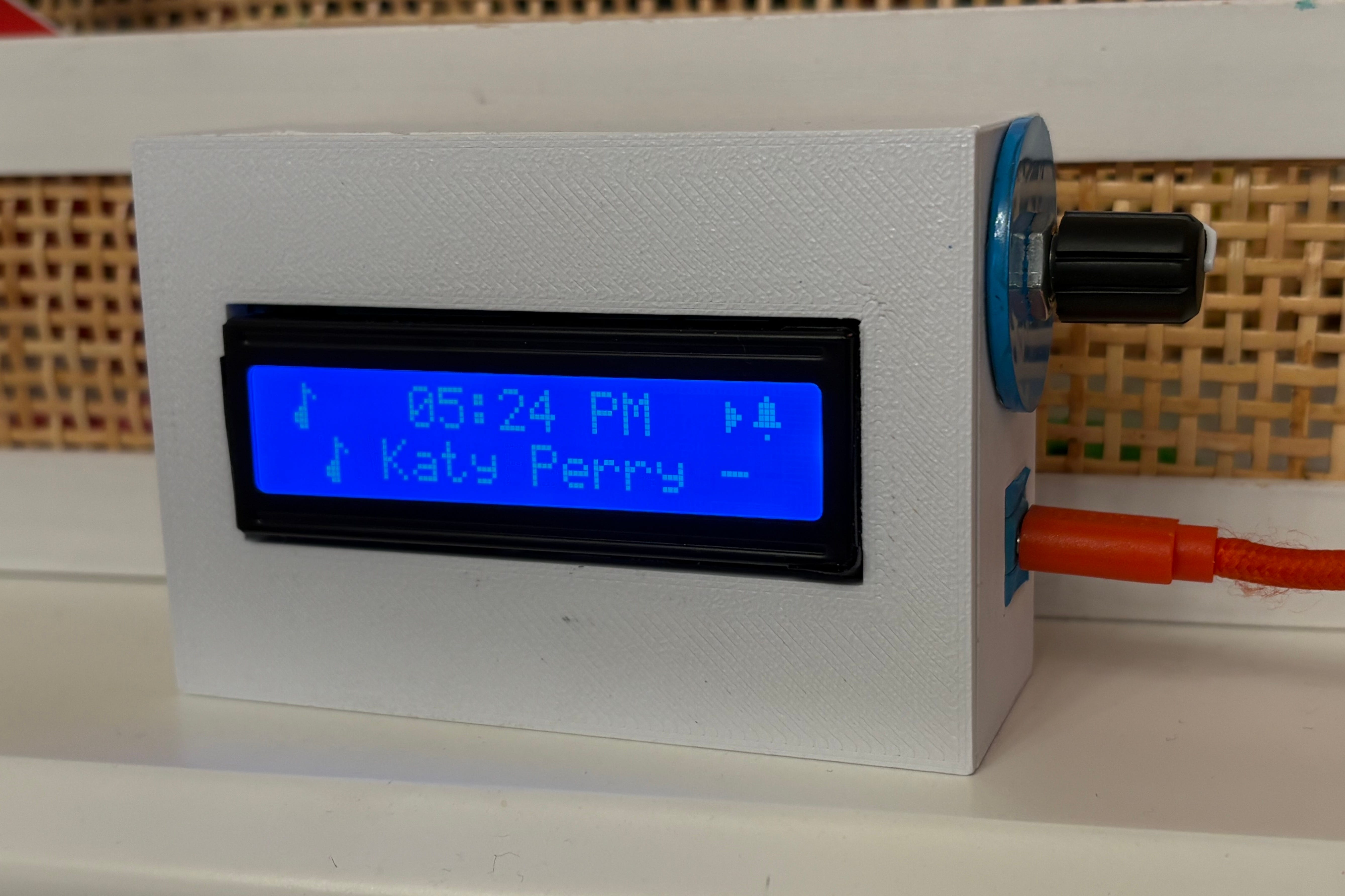
Everything on Amazon Was Either a Panic Buzzer or an Ad-Filled Spy Device.
Our daughter outgrew her elementary school Yoto player and started listening to bedtime audiobooks and music on an iPad. Seeing screen glow in her eyes right before bed drove my wife and me crazy.
We wanted her to have music and independence without an unmonitored tablet in bed. When we looked for a replacement, modern alarm clocks fell into two terrible extremes:
The Plastic Heart-Attack Buzzer
Cheap digital alarm clocks with shrill piezo sirens engineered to trigger an instantaneous fight-or-flight cortisol spike at 6:30 AM. Zero smarts, clunky buttons, and impossible to adjust.
The Big-Tech “Smart” Screen
Echo Shows and Nest Hubs. High-res touchscreens blasting news headlines and algorithm recommendations, paired with always-listening microphones sitting three feet from where a child sleeps.
The Sane Alternative
A distraction-free, tactile device. Spotify streaming without microphones. Gentle sunrise lighting. And automatic school calendar sync so it never wakes the house on holidays.
Turn the Knob: 6 Purpose-Built Screens + Bedside Music
In an era of addictive touchscreens, endless notifications, and YouTube rabbit holes, the clock gives kids simple, glanceable physical cards. Just turn the knob:
The primary clock screen displaying current 12-hour time and status icons. Automatically checks your school calendar to cancel alarms on holidays and teacher days.
Live outdoor temperature and sky conditions synced over Wi-Fi so kids know whether to pull on a sweatshirt before heading downstairs.
Next-day high temperature and “Feels Like” RealFeel heat index so the whole family knows what to wear and prepare tomorrow.
Smart heads-up showing the timing of afternoon rain showers or peak UV intensity for recess sunscreen and umbrella reminders.
Directly syncs your family Google Calendar to show today’s after-school activities and upcoming lessons right on their nightstand.
Highlights the next day off school and counts down the exact days to vacations, family trips, or birthdays for a dose of morning motivation.
When playing music or audiobooks, the clock transforms into a clean bedside stereo showing the track marquee and volume slider. Kids can easily change tracks or adjust volume using the physical dial—without handing them an unmonitored smartphone or tablet in bed. Zero microphones, zero cameras.
Built for Kids’ Bedrooms: Honest Privacy by Design
Why physical hardware design matters: big-tech smart speakers listen and collect data; this clock never can.
Zero Microphones or Cameras
Not just “turned off in software.” There is literally no microphone chip, no lens, and no recording hardware anywhere inside the clock. It physically cannot listen to your child or record their room.
Zero Addictive Screens
No touchscreens to tap late at night, no App Store games, no YouTube rabbit holes, and no notifications buzzing. Just clean, distraction-free text that automatically dims down to a gentle 1% glow at bedtime.
Local Home Wi-Fi First
Sunrise lighting commands and bedroom controls communicate directly across your home network. Your family’s wake-up schedules and school routines stay safely inside your house.
The Sane Morning Sequence
How hardware, smart lights, and calendar logic synchronize to eliminate the morning panic alarm entirely:
T - 10 Min: Sunrise
The clock sends a local command to the room's Philips Hue bulb, slowly ramping up soft amber light (2200K) to gently reset her natural circadian rhythm.
T - 0 Min: Soft Chime
Instead of a harsh horn, gentle harmonic acoustic tones ramp up gradually over 90 seconds on the onboard speaker until she wakes up.
Tactile Dismissal
She clicks the physical rotary knob. The chime silences, room lighting settles to warm daylight, and the LCD screen flashes: YOU ARE AMAZING!❤️.
School Calendar Guard
If the school district calendar indicates a holiday, snow day, or teacher in-service, the alarm completely suppresses. No accidental 6:30 AM wakeups on long weekends.
One Knob Does Everything
Scroll through daily screens, adjust speaker volume, or browse menu options with a natural twist.
Play/pause music, snooze an alarm, turn off the sunrise light, or select an option in settings.
Skip to the next song, or turn off the alarm completely to see a cheerful morning affirmation.
Opens the bedside settings menu right on the screen. Any changes save automatically.
Built-In Bedside Settings (No Phone Required!)
Parents and kids can adjust alarms, pick waking songs, set timers, and tweak night dimming directly on the clock using the rotary knob—no app download, no account setup, and no phone needed in the bedroom:
Set wake-up time, repetition mode (weekdays, everyday, or school schedule), choose pleasant wake-up chimes, and toggle the 90-second gradual volume ramp.
Select your playback speaker (clock or room speaker), choose morning waking playlists or audiobooks, toggle shuffle mode, and stop music.
Adjust speaker volume, start a bedside focus timer (2–60 min), set an automatic sleep timer (5–45 min), and test alarm chimes.
Turn bedroom lights on/off, dial brightness up or down, pick color scenes (reading, warm amber, relaxed), and configure the 20-minute sunrise wake-up fade.
Toggle screen backlight, set bedtime dimming level (down to 1% glow), switch to 2-line Big Clock mode for night reading, and set auto-dim timeouts.
View Wi-Fi network status, local IP address, firmware version, and school calendar status.
Click once to save all modified settings to onboard flash memory and instantly return to the clock face. (Settings also save if left idle for 30 seconds.)
Made by a Parent: Real Kitchen-Table Assembly
Designed, built, and tested at real kitchen tables. From the first screen power-on to fitting everything neatly and safely inside the case:
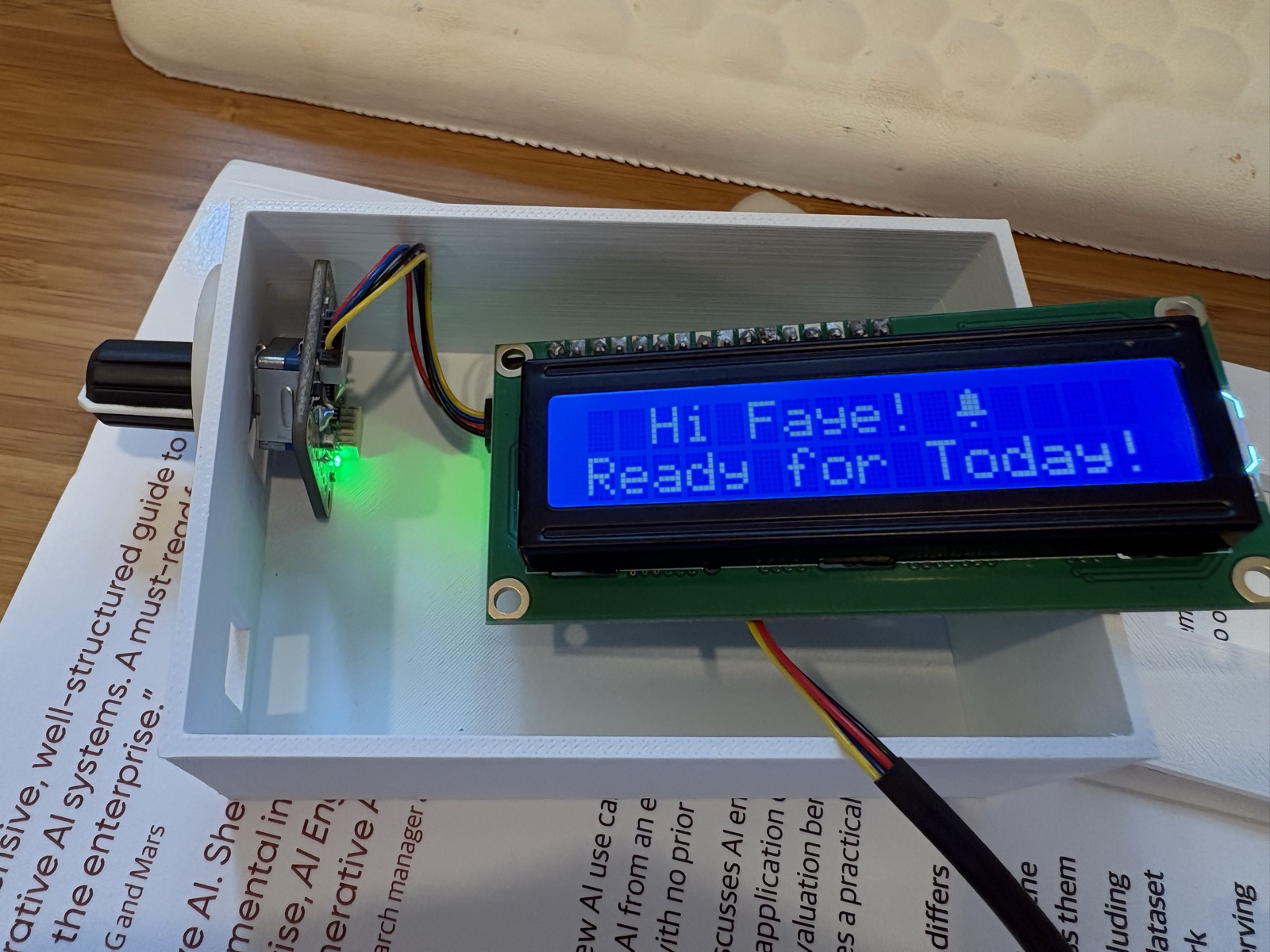
“Ready for Today! 🔔”
Seeing the screen light up for the first time on the workbench. That soft retro-blue glow was instant proof that a simple bedside display could feel delightful and magical without an addictive phone screen.
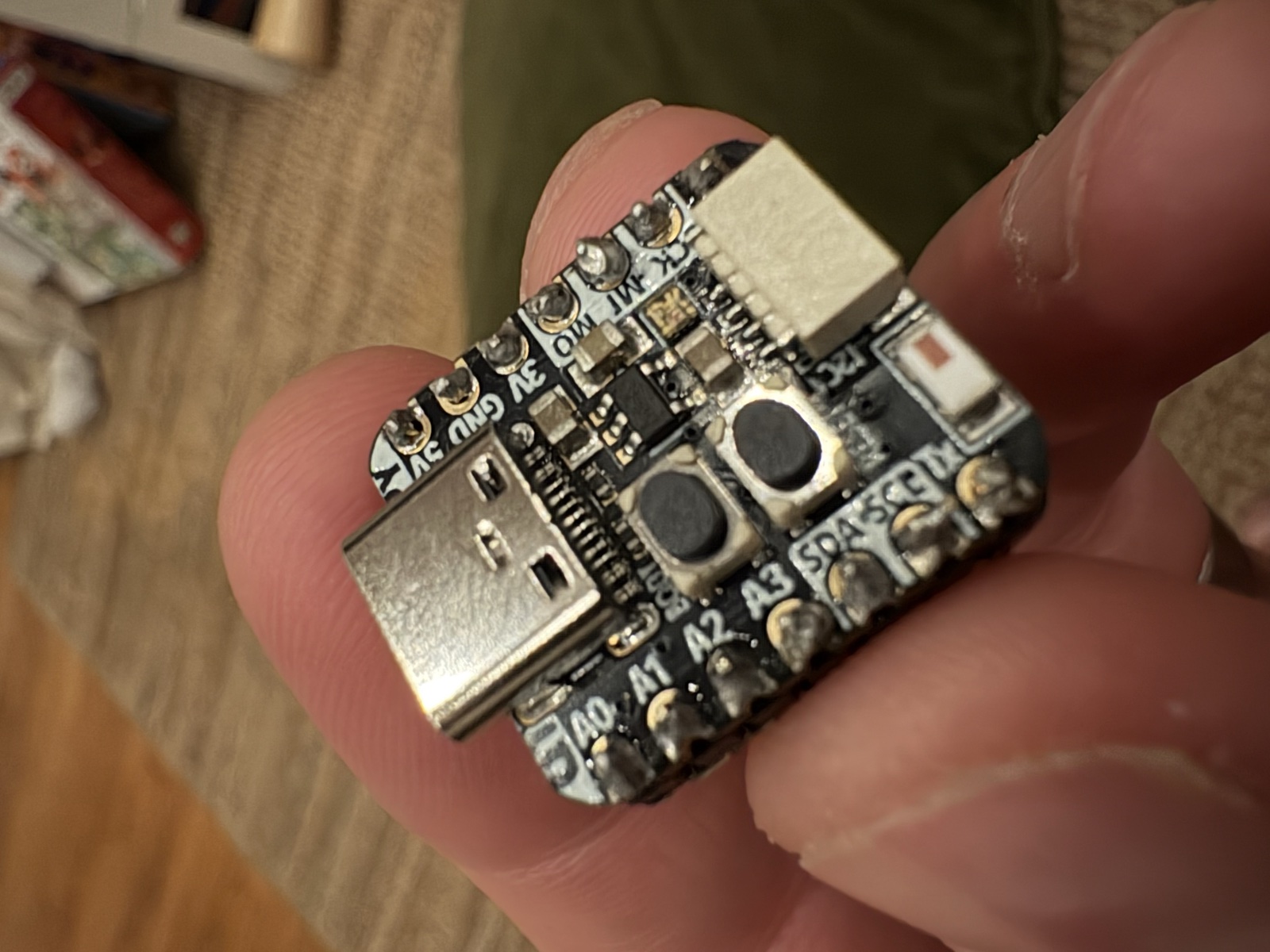 Size & Scale
Pocket-Sized Computer Brain
Held in hand to show the actual scale of the Adafruit QT Py ESP32-S3. Smaller than a postage stamp, it packs the entire Wi-Fi computer, Spotify engine, and timekeeper into a micro footprint.
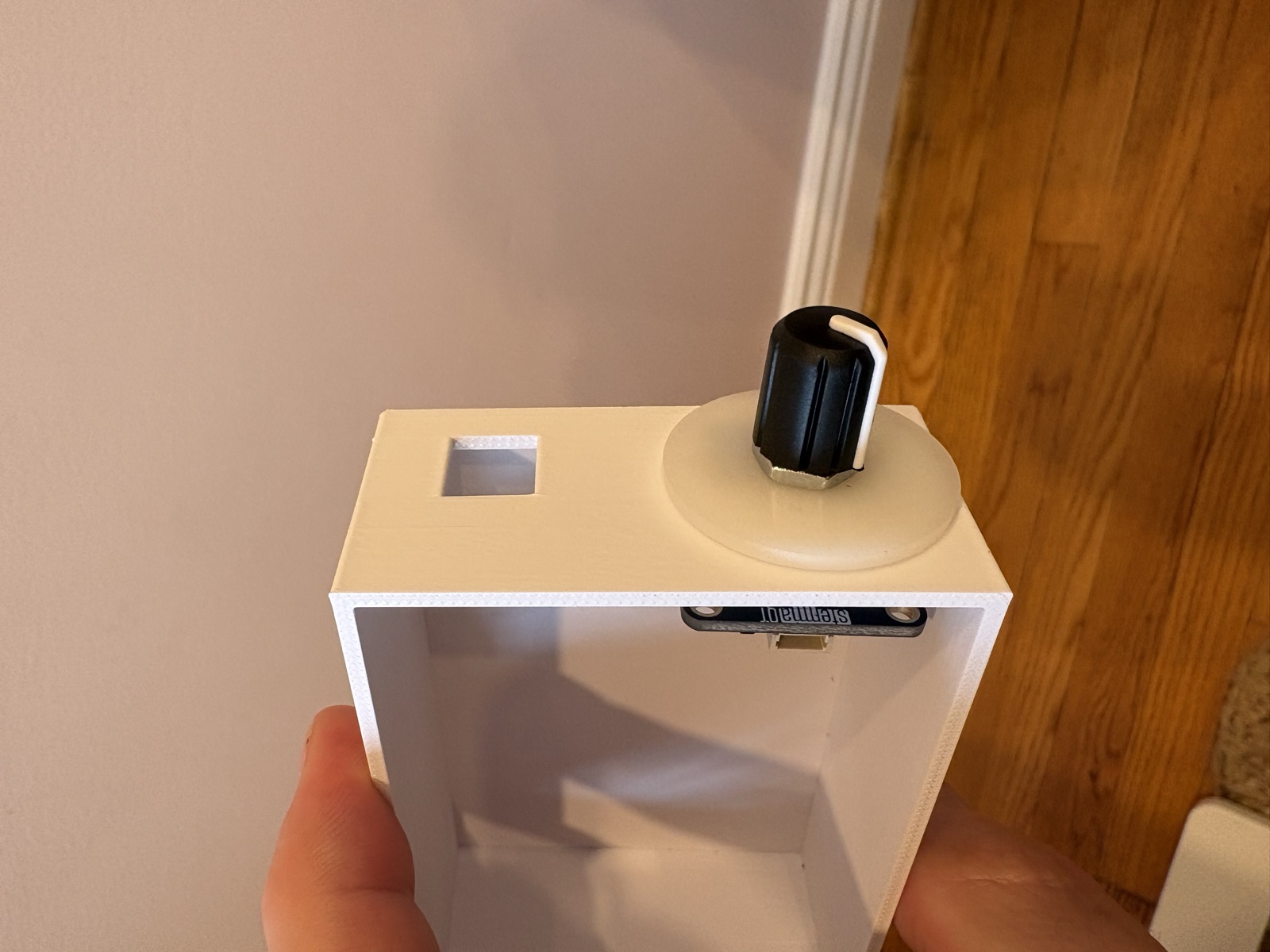 The Dial
Mounting the Twist Knob
Fitting the rotary encoder breakout board inside the enclosure sidewall with an accent spacer collar, ready for the soft-grip rubber knob.
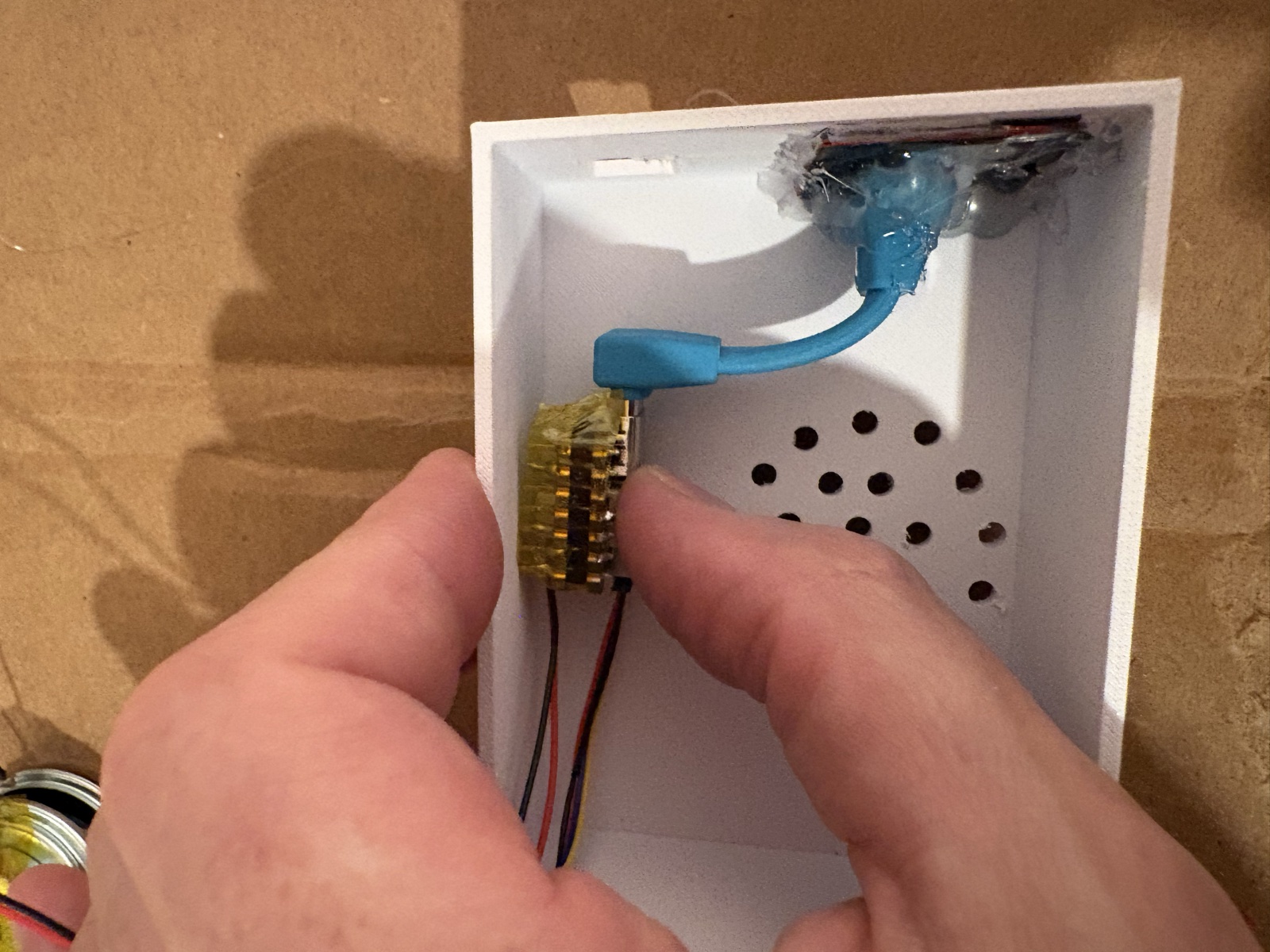 The Inside
Clean, Safe & Tidy Wiring
Inside view showing how everything snaps together cleanly with plug-and-play ribbon cables. The 40mm bedside speaker rests securely behind the front acoustic grille.
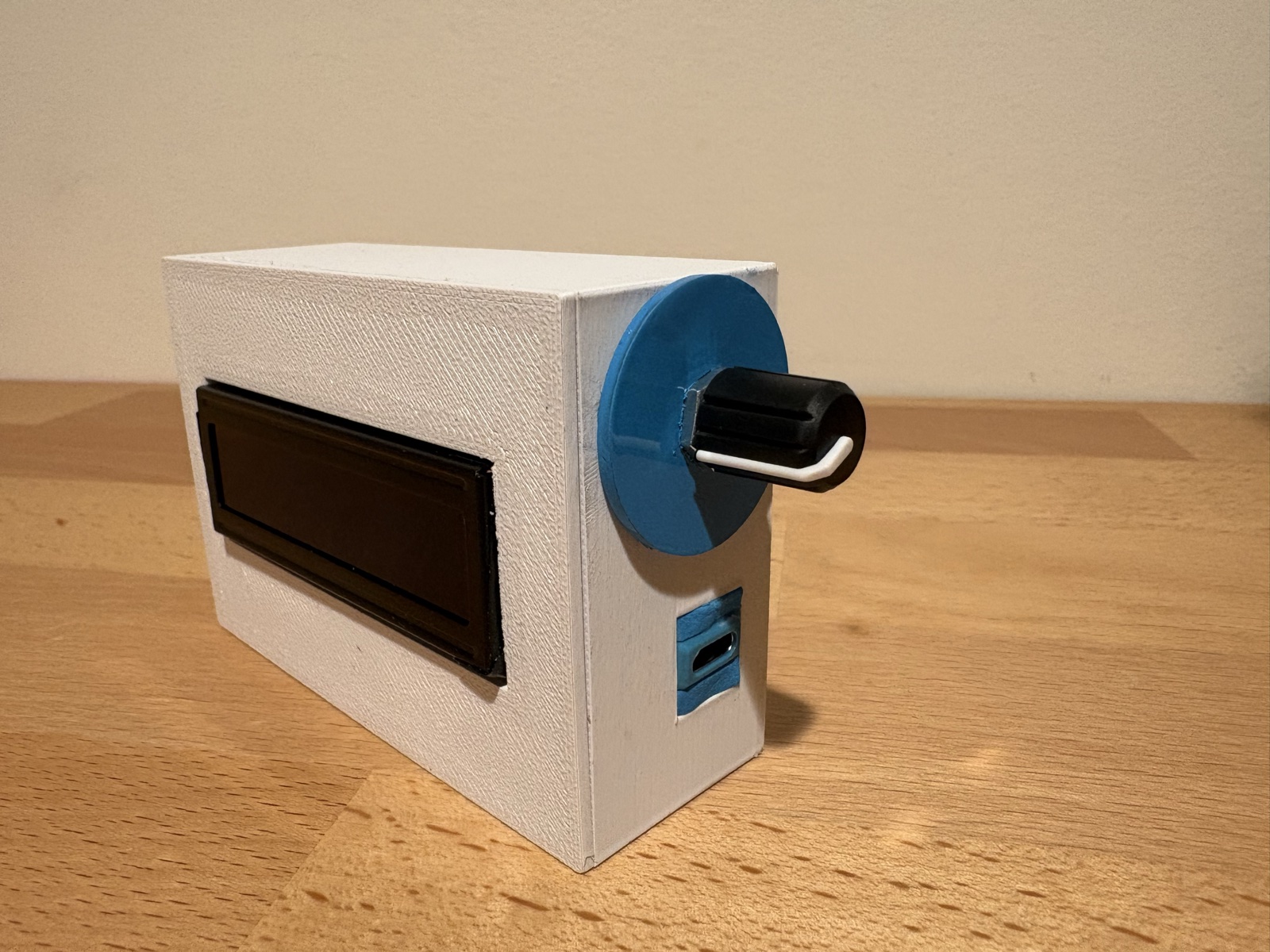 The Outside
The Finished Desktop Case
The completed desktop clock assembled on the workbench. Built using the pre-made Wezhape 16x2 desktop case with a recessed screen, soft-grip knob, and standard USB-C power.
The Parts List
No mystery electronics or overpriced tech kits. We built this clock using standard, kid-safe hobbyist parts from Adafruit and a pre-made case from Wezhape. Click any part below to view it on Adafruit or Wezhape:
| What It Is (The Part) | What It Does | Price |
|---|---|---|
| The Brain (Adafruit QT Py ESP32-S3) Tiny Wi-Fi computer board • Adafruit PID #5426 | The miniature Wi-Fi computer that powers atomic time, Spotify streams, outdoor weather, and school calendar sync. | $12.50 |
| Digital Sound Card (Adafruit I2S Amplifier) Mini audio amplifier • Adafruit PID #5770 | Snaps onto the brain to play acoustic wake chimes, gentle morning tones, and clear Spotify audio. | $4.95 |
| Bedside Speaker (40mm Speaker) Clear, warm compact speaker • Adafruit PID #3968 | Compact internal speaker providing warm wake-up chimes that ramp gently over 90 seconds, plus Spotify playback. | $4.95 |
| Speaker Wire (Molex PicoBlade 2-Pin Cable) Snap-in speaker harness • Adafruit PID #3922 | Snap-in 2-pin harness connecting the speaker directly to the sound card—zero soldering or wire-stripping. | $0.95 |
| Distraction-Free Screen (Standard 16x2 LCD Display) Soft white letters on classic blue • Adafruit PID #181 | Classic 2-line retro blue LCD with soft white text and zero blue-light glare. Automatically dims to 1% at night. | $9.95 |
| Easy Screen Adapter (I2C LCD Backpack) Simple 4-wire screen connector • Adafruit PID #292 | Solders to the back of the LCD, turning 16 individual display pins into one tidy 4-wire plug-and-play cable. | $9.95 |
| The Twist & Click Dial (Adafruit Rotary Encoder) Twist-and-click control board • Adafruit PID #5880 | Rotary encoder board letting kids twist to browse screens or volume, and press to snooze or dismiss alarms. | $7.95 |
| Soft-Grip Rubber Knob (Slim Rotary Dial Knob) Tactile rubber knob cap • Adafruit PID #5093 | Tactile textured rubber knob that slips onto the dial shaft for effortless turning and clicking in the dark. | $0.75 |
| Snap-Together Connecting Cables (100mm) Quantity: 2 • STEMMA QT / Qwiic • Adafruit PID #4210 | Pair of flexible plug-and-play cables daisy-chaining the brain, screen, and dial with no loose wires. | $1.90 |
| Pre-Made Desktop Case (Wezhape 16x2 Case) Turnkey desktop case (or 3D print your own) | Molded Wezhape case made specifically for the 16x2 LCD. Drill a side hole for the dial and plug into any 5V USB-C charger. | $14.00 (or ~$3 if 3D printing) |
| Total Raw Hardware Cost Adafruit Electronics: $53.85 • Pre-Made Case: $14.00 • Powered by standard 5V USB-C | ~$67.85 ($53.85 if 3D printing) | |
The Magic Under the Hood: Built for Real Family Life
Any alarm clock can ring a loud buzzer. The real difference is how the clock coordinates your home’s morning routine behind the scenes to make family wake-ups smooth and effortless:
Connects to your local school district calendar. When schools are closed for teacher workdays, holidays, or snow delays, the alarm automatically stays silent—giving everyone well-deserved extra sleep.
Gradually brightens the bedroom light over 10 to 15 minutes before the chime rings. Waking up naturally with light resets children's mood and eliminates morning battles.
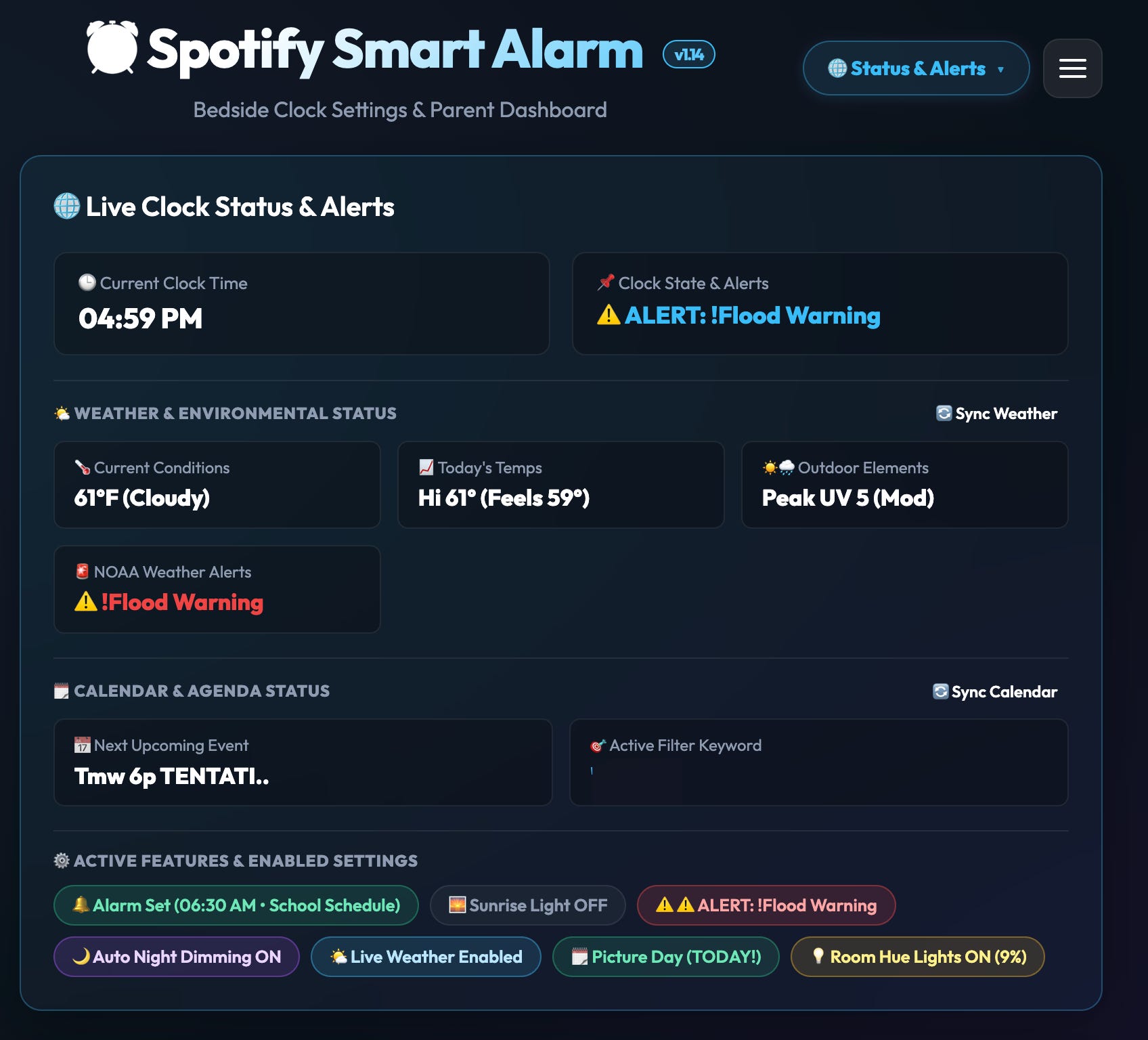
Whenever you want to check schedules, adjust times, or test light colors, simply open Safari or Chrome on your phone. No App Store downloads that stop working after software updates.
Kids can enjoy bedtime audiobooks, favorite morning albums, and Taylor Swift tracks right on their nightstand—without handing them an unmonitored smartphone or tablet in bed.
Zero-App Parent Controls: Built Right In
No apps to download from the App Store that break after the next phone update. Just open Safari or Chrome on your phone or laptop to configure everything on your home Wi-Fi:
⚡
Are you a maker or hobbyist?
Click to expand technical wiring pinouts, bus addresses & GitHub repository
↓
$ git clone https://github.com/pneedleman/reclaim-spotify-clock.git
$ cd reclaim-spotify-clock
$ pio run -t uploadfs && pio run -t upload
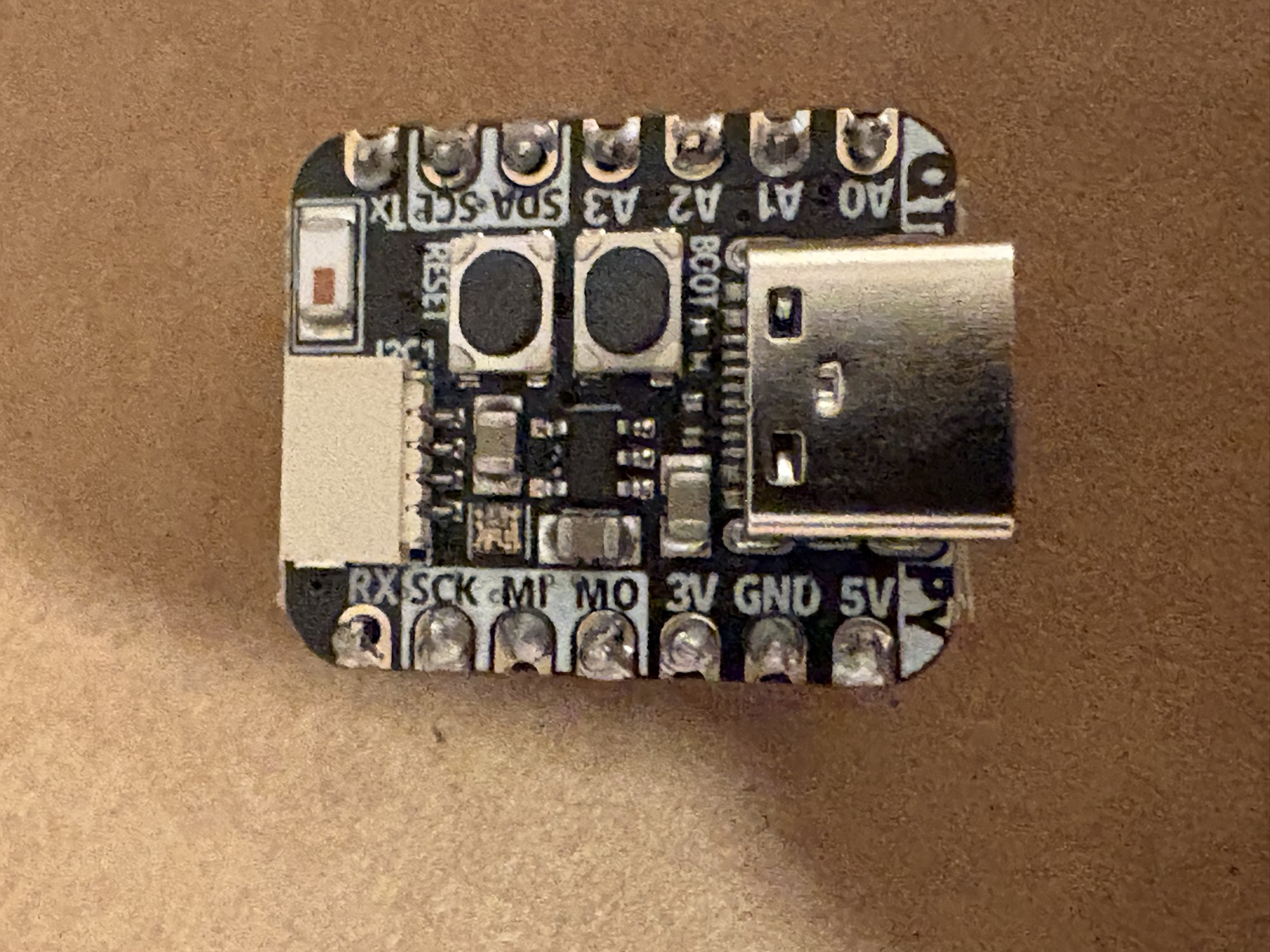
Adafruit QT Py ESP32-S3
Macro view of the microcontroller showing native USB-C, STEMMA QT connector, and silk-screened pin labels.
QT Py ESP32-S3 Hardware Pinout Mapping
Want One for Your Kid’s Bedroom?
We open-sourced the entire project—firmware, CAD models, and wiring—so anyone can build it for free on GitHub.
For parents who don't solder or 3D print, we are exploring a small pre-assembled batch on Etsy. If you'd like one for your home or have questions, reach out!
Say Hello
Always happy to swap notes with other parents, share build tips, or answer questions about 3D printing and parts:
I read and reply to every message from fellow parents and tinkerers.